Native VS Code Terminal
Pi runs as a real VS Code terminal — clipboard, scrollback, fonts, all native. No webview tricks, no embedded simulator. Auto-detects the pi binary from common install paths.
Follow the PiDE PiPER
A native VS Code integration for the pi coding agent — multi-tab awareness, in-place model switching, and project-lifetime cost tracking wired into a sidebar that finally feels like one.
A tale, told briefly
Pi is a terminal-native AI coding agent built for serious developers — a full TUI experience with tools, sessions, packages, and multi-model support. It's fast, extensible, and runs exactly where you want it: in your terminal.
PiDE Piper is the VS Code layer that makes pi feel at home in your editor. Not a reimplementation. Not a chat widget. This extension wires pi's existing binary directly into VS Code as a native terminal tab, then adds a purpose-built sidebar for everything you'd otherwise do by hand.
PiDE Piper does not replace pi. It amplifies it.
What it brings to the editor
Pi runs as a real VS Code terminal — clipboard, scrollback, fonts, all native. No webview tricks, no embedded simulator. Auto-detects the pi binary from common install paths.
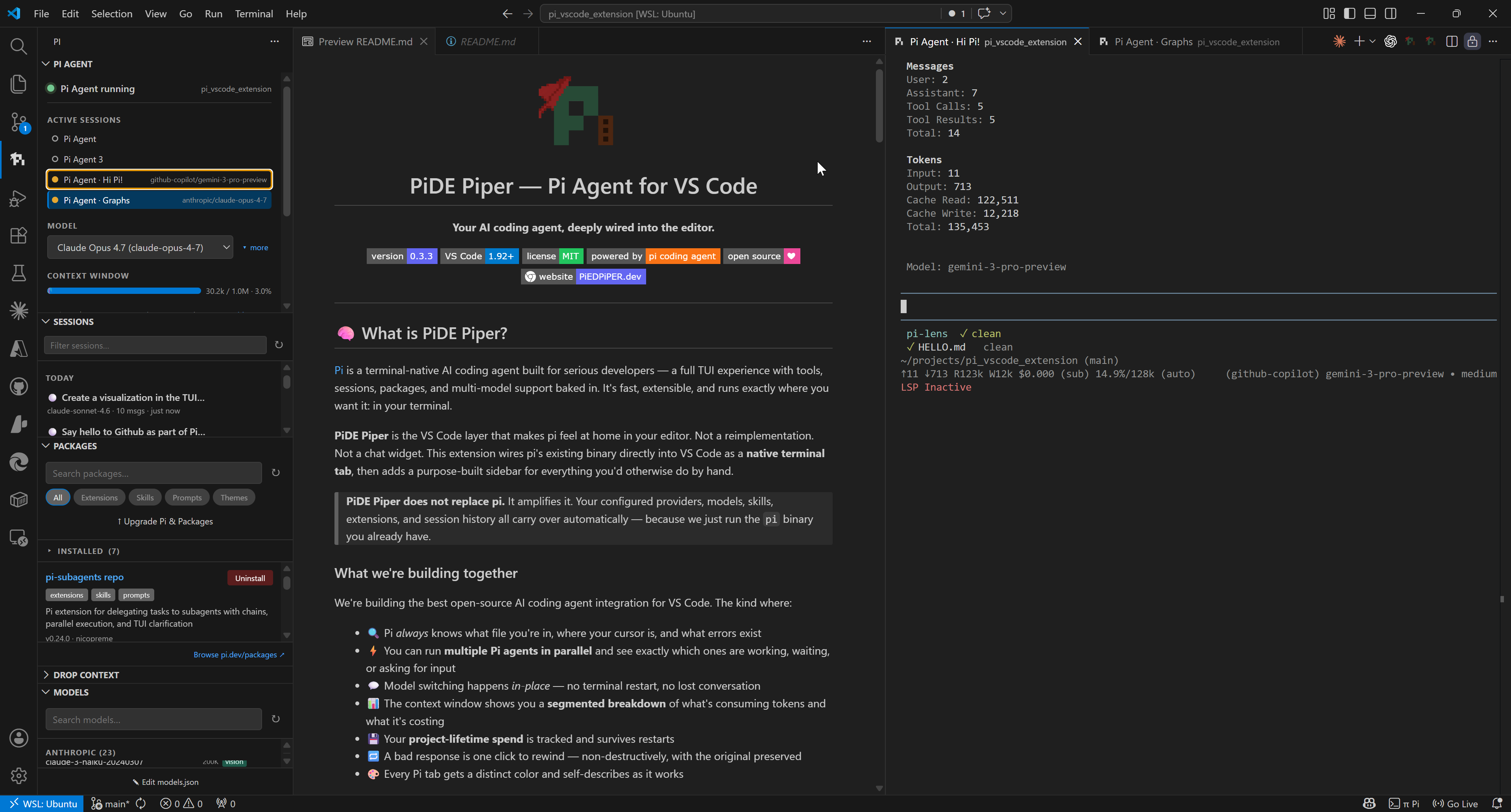
Run multiple Pi agents in parallel. Each tab gets a live status dot: green is working, yellow is awaiting your turn, red needs attention, gray is stale. See the project at a glance.
Change models mid-conversation. No terminal restart, no scrollback noise, no lost context. Switches you make in the TUI sync back to the sidebar dropdown automatically.
See exactly what's eating your context window: System, Conversation, Tool I/O, plus a translucent cache overlay. Tokens, percent, and live cost all in one bar.
Every session lives in a date-grouped tree with resume and fork. Project-lifetime cost persists across restarts and self-heals from session files on activation.
Browse and install pi packages from the npm registry without leaving VS Code. Inside pi, 25+ vscode_* tools give the agent full IDE awareness — LSP, diagnostics, edits, formatting.
Three steps and you're piping
Pi is the agent. PiDE Piper is its VS Code home.
npm i -g @earendil-works/pi-coding-agentor with Bun:
bun add -g @earendil-works/pi-coding-agent
Download the latest .vsix from
GitHub Releases,
then run:
code --install-extension pi-vscode-sidebar-x.x.x.vsixCtrl+Shift+P → "Reload Window". The π icon appears in the activity bar — click it to open the Pi sidebar.
A glimpse of the sidebar
The road ahead
PiDE Piper exists because of pi, the terminal-native AI coding agent built by Mario Zechner. It's a fantastic piece of software and this extension is just the editor layer.
Learn more about pi at pi.dev, or browse the source on our repo.